Camera globe
A window into the places that matter.
Explore public cameras on one searchable map. Check a road, a coastline or a city square, then open a feed for a closer look.
Free map browsing · 5 minutes of camera viewing every 24 hours
Worldview / ExploreExample
Search places & cameras/
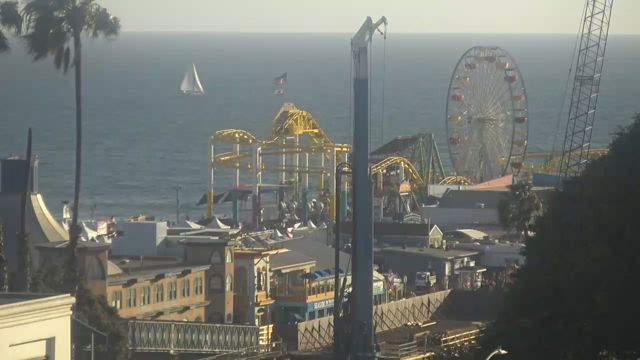 Santa Monica Pier, California · sample frame
A closer look at Santa Monica PierOpen a camera. Save the context.
N ↑ Illustrative map
Put it to work
Start with a place, not a list of feeds.
Heading to Santa Monica? Find the pier, preview nearby cameras and check the coast before you go.
- 01
Find your view
Search a place or camera, zoom into an area and preview feeds on the map.
- 02
Know what you’re seeing
See whether a feed is live video, a still image or an embedded publisher player, with its source alongside it.
- 03
Keep exploring
Move to nearby cameras, build a wall or save a useful camera to a case on a paid plan.
A few useful details
Know what to expect.
Do I need an account?
No. Map browsing, search and thumbnails are free. Guests and free accounts each get 5 minutes of opened cameras every 24 hours.
Are all cameras live video?
No. Publishers provide a mix of live streams, refreshing images and embedded players. Each camera shows its playback status; availability depends on its publisher.
Where do the cameras come from?
Public transport agencies, cities and webcam publishers. Each camera links back to its source. Worldview does not provide access to private cameras.
Works together
Build your own way to watch.
Start with a look around