Cases
Give every investigation a home.
Organize cameras, aircraft and notes around a place or a project. Reopen the context you’ve collected, without starting from the map again.
Included with Operator, Command and Enterprise
Worldview / CasesExample
Case / Example
Open wallSanta Monica field notes
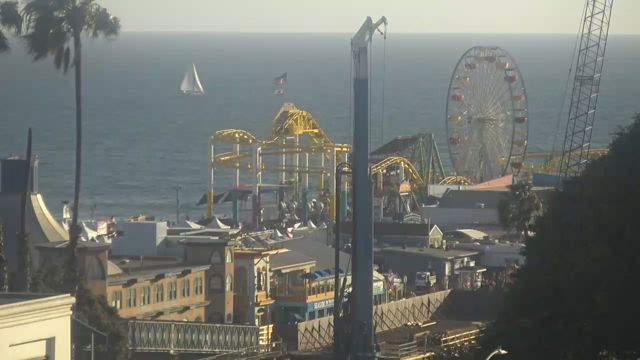 Santa Monica Pier, California · sample frame
Notes
Keep an eye on the coast.
Check the pier and ocean conditions before heading to the beach.
Saved contextSanta Monica Pier camera
Santa Monica, California
Put it to work
One workspace for a place you follow.
Create a case for a route or town. Add relevant cameras as you explore, keep your notes beside them and open the cameras together as a wall.
- 01
Collect as you explore
Use Add to case on a camera or aircraft. Keep related sources together with a useful name and notes.
- 02
Open an instant wall
Go from your saved case cameras to a viewing wall in one click, then arrange the views for the task.
- 03
Keep watch in the background
On Command and Enterprise, choose a case camera for recording or create a monitor for one camera.
A few useful details
Know what to expect.
Does adding a camera start monitoring?
No. A case organizes sources. You choose a specific camera when you create a monitor or start recording.
Can I add aircraft too?
Yes. Add an aircraft from its map card to keep its identifier and context with your case.
Are cases shared with other users?
Cases are private to your account. Adding a case does not publish it or grant other users access.
Works together
Build your own way to watch.
Start with a look around